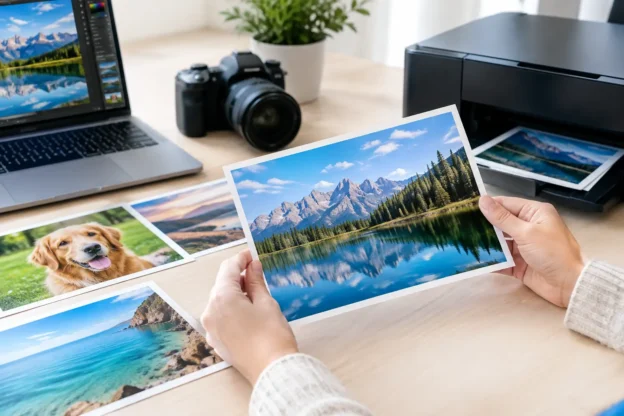
A London skyline may look pin-sharp on a laptop yet turn soft when printed above a sofa. A wildlife image can hold detail in a magazine spread but struggle as a panoramic canvas. This photo resolution for print guide explains why: print quality is determined by the relationship between an image’s pixel dimensions, the intended physical size and the viewing distance.
For buyers licensing photography or ordering wall art, the practical question is not simply whether an image is high resolution. It is whether the file has enough pixels for the size and finish required. Getting that right before purchase avoids disappointing prints, unnecessary resizing and delays in production.
Start with pixels, not file size
A file described as 8 MB or 20 MB does not tell you whether it will print well. File size changes with file format, compression, colour profile and image content. Pixel dimensions are what matter.
An image measuring 6,000 × 4,000 pixels contains 24 million pixels. It can support a considerably larger print than an image measuring 2,000 × 1,333 pixels, even if both files appear similar on screen. Always check the width and height in pixels before choosing a print size or placing an image into a layout.
This is especially relevant for detailed subjects. City architecture, transport scenes, royal events and wide landscapes often contain fine lines, faces, signage or distant detail. Those elements reveal a shortage of resolution sooner than a simple image with broad areas of sky, water or mist.
Photo resolution for print: the PPI rule
PPI means pixels per inch. It describes how tightly the image pixels are placed across the final printed area. The calculation is straightforward:
pixel width ÷ print width in inches = PPI
For example, a 6,000-pixel-wide file printed at 20 inches wide produces 300 PPI. The same file printed at 30 inches wide produces 200 PPI.
For close-viewed work such as brochures, books, postcards and photographic prints, 300 PPI is the usual working target. It provides clean detail for most professional print processes. That does not mean every print below 300 PPI will look poor. It means 300 PPI leaves a reliable margin for sharp reproduction.
Wall art is different. A large framed print in a hotel reception or a panoramic landscape above a fireplace is normally viewed from further away. At those distances, 150 to 200 PPI can often look excellent. A very large display piece may work at a lower figure, provided the image is well exposed, sharply focused and not expected to withstand close inspection.
DPI is often used casually in print conversations, but it is not the same measurement. Printers use dots per inch when laying down ink. Image buyers should focus on pixel dimensions and the resulting PPI at the chosen print size.
Useful print-size benchmarks
The figures below assume the image is being printed at full size without cropping. They are practical guides rather than guarantees, as paper, finish and viewing distance also affect the result.
| Image dimensions | Approximate size at 300 PPI | Approximate size at 200 PPI | |—|—:|—:| | 2,400 × 1,600 px | 8 × 5.3 inches | 12 × 8 inches | | 3,600 × 2,400 px | 12 × 8 inches | 18 × 12 inches | | 4,500 × 3,000 px | 15 × 10 inches | 22.5 × 15 inches | | 6,000 × 4,000 px | 20 × 13.3 inches | 30 × 20 inches |
Metric sizes can be assessed in the same way. Divide the pixel dimension by the required size in inches, remembering that 1 inch equals 2.54 cm. A 50 cm-wide print is just under 20 inches wide, so a 6,000-pixel-wide image will deliver roughly 300 PPI.
Match the file to the use
Editorial print has different demands from decorative wall art. A full-page image in a premium travel publication may need 300 PPI at the final trimmed size, plus enough extra image area for crop, bleed and design adjustments. A designer should not calculate only the visible page area. If the image runs to the edge, allow for bleed. If type, logos or a subject placement may change, allow room to crop without losing the important detail.
For advertising, exhibition graphics and point-of-sale material, ask the printer for its preferred supplied resolution. Large-format printers are designed for longer viewing distances, and their requirements can be lower than those for a book or fine-art print. Supplying a needlessly enormous file may make artwork slow to handle without improving the finished result.
For wall art, consider the room before selecting the size. A dramatic coastal panorama can tolerate a lower PPI at 100 cm wide if it will be viewed from across the room. A small framed print displayed in a hallway is more likely to be examined at close range, so detail matters more. Paper finish also changes perception: glossy surfaces can make sharpness and flaws more apparent, while a matte finish can be more forgiving.
Cropping can reduce the usable resolution
A file can have ample pixel dimensions and still fall short after a substantial crop. This is common when a landscape image is adapted to a square print, a vertical poster or a wide banner.
Suppose a 6,000 × 4,000-pixel photograph is cropped to a square using the full image height. The new file becomes 4,000 × 4,000 pixels. It remains a strong square image, but its maximum high-quality print size has changed. At 300 PPI, it is suitable for roughly 13.3 × 13.3 inches, not 20 inches wide.
Check the aspect ratio before committing to a frame or layout. Standard photographic files are often 3:2 or 4:3, while popular wall-art formats may be square, 5:4, 16:9 or panoramic. Cropping is not a fault, but it should be deliberate. Avoid forcing a format that removes the feature that made the image worth choosing, whether that is a landmark, a train in motion or the horizon in a landscape.
Enlarging a small image has limits
Image-editing software can increase pixel dimensions through interpolation or AI enlargement. It can be useful where a file narrowly misses the preferred resolution, particularly for wall art viewed at distance. However, it does not recover original detail that was never captured.
Enlargement can create smoother edges and a more usable file, but it may also introduce unnatural texture, repeated patterns or softened fine detail. These risks are most visible in foliage, hair, lettering, building facades and crowd scenes. Test a cropped section at final size before approving a large print.
A better route is to obtain the largest available original file. Prestige Pictures can provide larger image sizes on request where available, without treating a higher-resolution file as a separate subscription tier. For publishers and designers, this is often faster and safer than trying to manufacture detail after the fact.
Do not judge resolution on screen alone
Screens display images at varying sizes and pixel densities. A photograph can look clear when fitted to a browser window because the software is reducing it. That tells you little about its suitability for a 60 cm print.
Open the file at 100% magnification and inspect the areas that matter. Look at faces, distant architecture, text, edges against bright skies and detailed textures. Then calculate the PPI for the intended output size. This two-part check combines a numerical answer with a visual one.
Also make sure the image is genuinely sharp. More pixels cannot fix camera shake, missed focus, heavy compression or noise from low-light shooting. Resolution is capacity, not a guarantee of quality.
A practical check before purchase or print
Before licensing an image or sending artwork to print, confirm the final dimensions, crop ratio and viewing distance. Check the pixel dimensions of the original file, not its download size. Calculate PPI from the final placed size, including bleed where relevant. Finally, inspect the image at 100% for the detail that your customer is most likely to notice.
There is no value in ordering a file far larger than the project needs, but there is real value in leaving enough room for crop and production changes. Choose the photograph for its subject and composition first, then make sure the available pixels support the way it will be published or hung. That small check keeps a strong image strong when it leaves the screen.